Radaris Caller Id Phone Lookup
- 3.5
- Rating
- 10.00K
- Installs
- Free
- Price

 Analysis by App-foxy
I tried Radaris Caller Id Phone Lookup as a communication app with a very specific purpose: helping me make sense of people and numbers connected to incoming calls. That focus makes it more useful in a shared household than a general messaging app, but it also means I had to think carefully about who should use it, what information belongs to whom, and when a lookup is genuinely helpful rather than simply tempting.
The app is free to install, and its age rating is Everyone, which makes the basic audience broad. It comes from Virtura Corp. and has reached over ten thousand installs, with an average rating of 3.5 from around one hundred forty ratings. Those figures suggest a modest, mixed reception rather than a universally loved tool. My experience matched that middle ground: Radaris can be handy when an unfamiliar number interrupts the day, but it is not a replacement for a phone’s complete call-management system or for good judgment about personal information.
Using Radaris in a shared household
The most convincing use case is a home where more than one person answers calls on behalf of the household. Imagine a parent working from home while another adult handles deliveries, appointments, school contacts, and service calls. An unfamiliar number appears, and instead of immediately calling back, the person who sees it can use a lookup workflow to decide whether the call deserves attention. That small pause can reduce confusion when several people share responsibility for the same phone or regularly discuss calls received on separate devices.
You May Also Like

 AccuWeather: Weather Radar
AccuWeather Review: A Quick, Clear Forecast for Everyday Decisions
For everyday plans, the best forecast is the one you can understand quickly. AccuWeather makes rain timing, radar, and local conditions easy to act on, with a few trade-offs.

 Hill Climb Racing
Why Hill Climb Racing Still Turns Crashes Into One More Run
A tiny car, a bumpy hill and one more upgrade: Hill Climb Racing keeps resurfacing because its simple chaos makes every near-miss feel personal.

 AliExpress - Shopping App
AliExpress Makes Global Shopping Feel Personal, but Shoppers Bear the Risk
AliExpress turns a global marketplace into a pocket-sized discovery engine. Its reach is useful, its shopping loop compelling, and its trade-offs easy to miss.

 Lords Mobile: Kingdom Wars
Lords Mobile Is a Kingdom-Building Routine, Not a Quick Match
A case-by-case verdict on the building, battles, device demands, and social commitments that make Lords Mobile rewarding for some players and exhausting for others.

 PDF Scanner app - TapScanner
TapScanner Makes Paperwork Easier to Capture, Check, and Share
TapScanner makes scanning with a phone feel less like a rescue operation and more like a dependable step in getting work done. Its capture tools are useful, though not flawless.

 Block Blast!
 Shows How Much a Puzzle Game Can Leave Out
A quiet grid game shows why puzzle players increasingly value instant clarity, repeatable skill and low-pressure play—and where the genre still needs to catch up.
More From Our News Desk
View All News


I would not treat the app as a household directory that everyone can freely browse. Its value is closer to a second step after a call appears: identify the number when there is a practical reason, then share the useful conclusion with the right person. For example, if a call seems related to a repair appointment, I might tell the other adult in the home that the number appears connected to that situation, while avoiding unnecessary speculation about the caller.
This distinction matters because a shared device does not automatically mean shared privacy. A phone used by a couple, roommates, or a multigenerational household can contain different personal conversations and contacts. Radaris may help coordinate around calls, but it should not be used as an excuse to inspect another person’s communications without their knowledge. The app is most comfortable when everyone understands why a lookup is being made and what will happen with the result.
In everyday use, I found the strongest benefit came from reducing uncertainty rather than producing a dramatic answer. A number that I did not recognize could be checked before I decided whether to return the call. That is especially useful when the household is waiting for a contractor, medical office, school administrator, or delivery service. It is less useful when I already know the caller, when the number is clearly saved in contacts, or when the right response is simply to let an unknown call go to voicemail.
What the app is good at during routine coordination
The app’s combination of people search and phone-number lookup gives it a broader role than a simple caller label. I could approach a situation from either direction: start with a person when I am trying to locate contact information, or start with a number when a call has already arrived. That two-way approach is practical for households that frequently coordinate appointments, vendors, community activities, or older contact lists.
A useful habit is to separate identification from action. First, check the number. Second, compare the result with the context already known in the household. Third, decide whether to call, wait, block through the phone’s own tools, or ask the person who normally handles that relationship. This prevents the lookup from becoming an automatic instruction to respond.
Another non-obvious advantage is that it can help untangle old numbers after a move or a change in household responsibilities. If a contact was saved years ago without a current label, a lookup may provide a starting point for deciding whether the entry should be updated. I would still verify important details directly, but the app can make the cleanup process less dependent on memory.
The trade-off is that a lookup result should be treated as a lead, not as proof of identity. Numbers can be reused, displayed incorrectly, or associated with more than one person or organization. For sensitive matters, I would confirm through an established channel rather than relying on a single search result. That caution is particularly important when a call involves money, account access, urgent health decisions, or a child’s safety.
Setting boundaries before more than one person uses it
Radaris does not become a family-management system simply because several people install it. I would establish household rules before recommending it to everyone. The first rule would be simple: each person decides which of their own contacts or call details they are comfortable discussing. The second would be that a lookup is for a clear purpose, not casual investigation of another household member’s relationships.
On a shared tablet or communal phone, I would also avoid leaving searches open where another person could misunderstand them. Even an innocent lookup can look suspicious without context. A household that values privacy should make separate use the default, rather than assuming that a common device creates common access rights.
Account boundaries deserve the same attention. I would not create one shared identity for everyone merely to simplify setup, because that can blur responsibility and make it difficult to know who initiated a search or changed a preference. If the app requests account or device access during setup, I would read each request and grant only what fits the intended use. I would also review the app after installation and remove access that is not needed for the way the household actually uses it.
That approach is not about making the app difficult. It is about keeping the tool in its proper place. A caller-identification service can support coordination, but it should not quietly become a household surveillance habit. If family members cannot agree on those boundaries, I would skip installing it on a shared device and use the phone’s built-in caller controls instead.
How I would organize a practical household workflow
For a shared-use scenario, I would keep the process deliberately short. When an unknown call arrives, the person answering notes the time and context, performs a lookup only if there is a reason, and records the useful outcome in the household’s normal communication channel. That might be a conversation, a shared note, or a message saying that a suspected service provider called. The app does not need to become the place where every household detail is stored.
This workflow avoids a common mistake: searching repeatedly without deciding what the search is meant to solve. If the goal is to identify a missed call, one lookup may be enough. If the goal is to reconnect with an old acquaintance, a people search may be more appropriate. If the goal is to stop unwanted calls, the phone’s blocking and spam-reporting tools may be better suited to the final action.
I also recommend agreeing on a verification step for important calls. A household member can use Radaris to form an initial view, then check the organization’s official contact details independently before sharing payment information or personal documents. This is one of the clearest trade-offs: the app can save time at the identification stage, but it should not replace direct confirmation when the consequences of a mistake are high.
For older relatives, the workflow should be even simpler. Rather than expecting them to interpret every result, I would teach them one safe response: do not provide sensitive information during an unexpected call, and ask another trusted adult to verify it. Radaris may help start that conversation, but the household’s safety rule matters more than the lookup itself.
Age, trust, and the Everyone rating
The Everyone rating makes the app approachable for a broad audience, but an age label is not the same thing as a recommendation for unsupervised use. Younger users may understand how to search a number while still lacking the judgment to interpret what they find. A result that appears convincing can still be incomplete or unrelated, and a child may not recognize the difference.
For that reason, I would keep people-search use limited for children and explain why. The important lesson is not “look up everyone”; it is “pause before responding to an unfamiliar caller.” If a child receives a call connected to school, a club, or an unknown adult, the safer household process is to involve a parent or guardian rather than letting the child make a decision based only on the app.
With teenagers, the conversation can be more collaborative. I would explain that a lookup can help with an unexpected number but does not grant permission to investigate classmates, friends, or family members. Trust works better when the purpose is clear. Using the app as a safety aid is different from using it to monitor someone’s social life.
The same principle applies between adults. A partner may want reassurance about a suspicious call, while the other person may see an unsolicited lookup as intrusive. Radaris cannot resolve that relationship issue. The best result comes when the household agrees that searches should be tied to practical concerns and that personal boundaries remain intact.
Where it fits beside ordinary phone tools
Compared with the standard phone app, Radaris offers a more deliberate lookup experience. The built-in dialer is faster for saved contacts, recent calls, blocking, and returning messages. It is also the better first choice when the main problem is managing calls rather than learning more about a person or number.
Compared with a general search engine, Radaris is more focused on the phone-number and people-search task. A web search may be useful for a business name, a public organization, or a phrase connected with a call, but it can produce scattered results. Radaris is more convenient when I want a dedicated place to begin with a number or person. The convenience does not eliminate the need to verify important findings.
Compared with a contacts app, it serves a different purpose. Contacts are the trusted records I create myself; a lookup tool is for filling in uncertainty around something I have not yet identified. I would never replace carefully maintained contacts with search results, because a household needs consistent names and notes that everyone understands.
There is also a practical cost consideration. The app is free to download, but in-app purchases range from around four dollars to around eighty-five dollars per item. That makes it important to understand what can be done without paying and to avoid assuming that every useful lookup is included at no cost. I would test the basic workflow first and decide whether it solves a recurring problem before spending anything.
Performance expectations and everyday friction
The current version is 1.2.4, and it supports devices running Android 7.1 or later. That broad compatibility is helpful for households keeping an older phone in service, especially as a backup or shared device. Still, compatibility alone does not guarantee that the experience will feel equally smooth on every handset. Older hardware can make searching, switching between screens, or returning to a call less comfortable.
The interface is easiest to justify when I have a clear number or person in mind. It becomes less compelling when I am browsing without a specific reason. Search tools can encourage curiosity, and that is where the app’s boundaries matter most. A focused question produces a useful workflow; open-ended searching can create confusion without improving household safety.
The mixed average rating of 3.5 reflects the kind of experience I would expect from a specialized utility: helpful for some situations, less convincing for others. I would not install it expecting perfect identification of every caller. Its practical value depends on the quality and relevance of the result, the context I already know, and whether I use the information responsibly.
One friction point is decision-making after the lookup. The app can help me learn more, but I still have to choose what to do next. That is not necessarily a flaw, because no identification tool should make sensitive decisions for me. However, users who want automatic blocking, a simple spam shield, or a completely hands-off call filter may be happier with the phone maker’s built-in tools or a dedicated call-screening service.
Who should use it and who should pass
I can recommend Radaris to adults who regularly receive unfamiliar calls and want a dedicated way to investigate them before responding. It is particularly suitable for a household coordinating service appointments, shared responsibilities, or calls that arrive on behalf of more than one person. It can also help with the gradual cleanup of old contact information when a number no longer has a clear label.
I would be more cautious recommending it to someone who expects certainty from every result. The app is not the right choice for making legal, financial, medical, or emergency decisions on its own. It is also a poor fit for anyone looking for a complete family-control package, because a lookup utility does not replace clear household rules, device settings, or direct communication.
People who are uncomfortable with people-search services should probably skip it and rely on saved contacts, voicemail, carrier tools, and the phone’s own blocking options. Those alternatives may be less flexible, but they can be easier to understand and less likely to encourage unnecessary searches. Likewise, if all incoming calls are already familiar, Radaris may add little to daily life.
For a child’s device, I would not make it the main safety measure. A parent or guardian should remain the person who handles uncertain or sensitive calls. The app can be part of an explanation about caution, but it should not be treated as an independent safeguard.
My household verdict
After using it as a focused communication utility, I see Radaris as a situational helper rather than an essential phone companion. Its strongest moment is the gap between an unfamiliar number appearing and the decision to answer, return, ignore, or verify the call. In a household, that gap can prevent duplicated callbacks and make shared responsibilities easier to coordinate.
Its limitations are just as important. A lookup result is not a guarantee, a shared device does not justify shared surveillance, and the free installation does not mean every capability is free. The purchase range also means I would approach upgrades carefully, especially if the app is used only occasionally. I would begin with a specific household problem and judge the app by whether it solves that problem without creating new privacy or communication issues.
My recommendation is therefore measured: try it if unknown calls are a recurring nuisance and the adults using it can agree on respectful boundaries. Keep the phone’s built-in tools for blocking and contact management, verify important callers independently, and avoid using the app as a substitute for trust. For that kind of disciplined use, Radaris can earn a place on a shared household device. Without those boundaries, a simpler call workflow is likely the better choice.
FAQs for Radaris Caller Id Phone Lookup
01What is Radaris Caller ID Phone Lookup, and how does it work?
Radaris Caller ID Phone Lookup is designed to help identify unknown callers and search for information associated with a phone number. After entering a number, the service may display available details such as a possible name, location, or related public records. Results depend on the information accessible in its databases, so they may be incomplete, outdated, or unavailable.
02Is Radaris Caller ID Phone Lookup free to use?
The app may allow users to begin a search without an immediate charge, but some results or advanced features can require a subscription, credit purchase, or in-app payment. Before confirming any transaction, carefully review the pricing page, trial terms, renewal conditions, and cancellation instructions. Availability and prices may also differ between Android, iOS, and regions.
03Can Radaris identify every unknown phone number accurately?
No caller lookup service can guarantee accurate identification for every number. Radaris may have difficulty with private, newly issued, recycled, international, business, or internet-based numbers. Information can also be associated with the wrong person or remain outdated. Treat the displayed details as a starting point for investigation rather than verified proof of someone’s identity.
04Does Radaris Caller ID Phone Lookup protect my privacy and personal information?
Before using the app, review its privacy policy and the permissions requested during installation. A lookup service may process search queries, device information, account details, and usage data, depending on its features and settings. Avoid entering sensitive information unnecessarily, and check whether your own details can be removed or opted out from public search results.
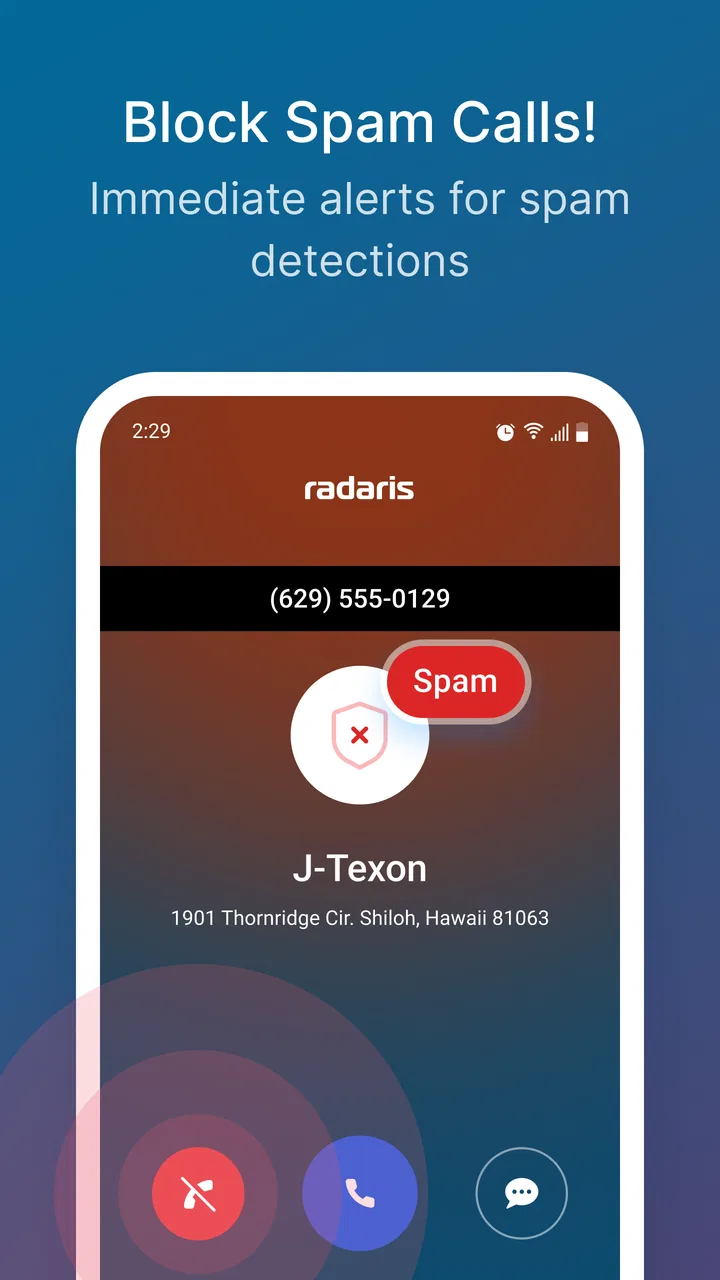
05Is Radaris Caller ID Phone Lookup useful for blocking spam and scam calls?
The service can be useful when you want additional context about an unfamiliar caller, especially if a number has been reported or appears in public listings. However, caller identification is not the same as guaranteed spam protection. Scammers can spoof legitimate numbers, and databases may miss new threats. Continue using your phone’s built-in blocking and reporting tools.
Pros
- Identifies many unknown callers before you answer.
- Reverse lookup can reveal names
- locations
- and public records.
- Search results may include associated phone numbers and addresses.
- Useful for checking whether a caller appears linked to spam reports.
- Simple search interface requires little technical knowledge.
Cons
- Information may be outdated
- incomplete
- or incorrectly matched.
- Some details and reports may require a paid subscription.
- Results can vary significantly by country and phone number type.
- The app may request access to contacts or other sensitive permissions.
- Public-record searches can raise privacy concerns for some users.

Radaris Caller Id Phone Lookup
Gallery